How DexBindr Works
Three things, each in under a minute. The demos below are connected. Collect a card in the search and watch it light up in the binder above and add to the totals below. Real cards, real prices, all wired to your browser.
See what you have, what you need
Explore the Pokédex as a binder. 1,025 slots, one per Pokémon. Filled slots show your favorite card for that Pokémon. Empty slots make what's missing obvious at a glance, so you know what to hunt at the next show.
Tap a slot to flip it. In the real app, opening a Pokémon lets you pick any specific card and log what you paid.
Every Pokémon gets a slot. Your whole set-chase in one view.
Find any card, fast
Type a Pokémon name, a card number like 044/185, or a set code like svp 11. Mark your cards as you spot them. Your first 10 are free.
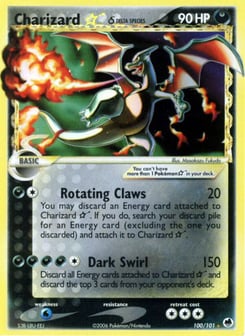
Charizard ☆ δ
Dragon Frontiers · 100/101
$4,000
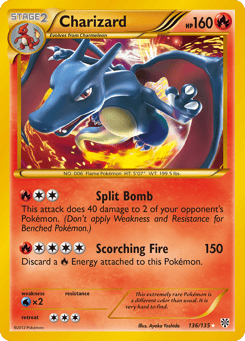
Charizard
Plasma Storm · 136/135
$1,075
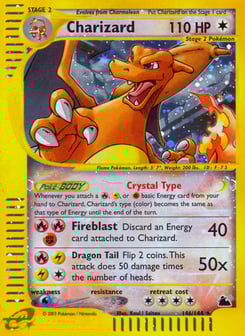
Charizard
Skyridge · 146/144
$980
Real shop search runs against all 35,000+ cards. Collect a card here and watch the binder and totals below update.
Shop mode. One-handed on mobile, big buttons, made for vendor tables.
Track its worth, sync anywhere
Record what you paid, see live market value, and share your binder as a public link. Sync across every device for $5/month or $49/year.
Market value
Cost basis: $3,796
Most valuable
Public link
Your data stays yours. Export anytime.
When you're ready for more.
The three steps above are all most collectors need. When your collection grows, two features are waiting.
A cart for card shows
At a show or shop, tap Add to cart on each card you're eyeing. A running total tallies the damage as you browse — English and Japanese prices side by side. Decide what to buy, hit Purchase complete, and every card lands in your collection at once, cost basis pre-filled. Set the exact printing and quantity per card before you confirm. Works fully offline — card-show Wi-Fi never cooperates.
Own more than one? Keep them all
A binder shows one card per Pokémon — but you can own as many as you like: three different Charizards, two copies of the same one, each with its own cost basis. Your binder displays whichever you pick; the rest live in your collection. Open any Pokémon you own multiples of and you'll see an Owned cards list to switch the display or manage copies. Your collection value counts everything you own, not just what's on show.
Common questions.
- Does it track Japanese cards?
- Yes. 17,000+ Japanese cards with native JPY pricing alongside the English set.
- What about graded cards?
- Graded tracking is on the roadmap. For now, cards are logged by printing; add a note in the card detail field.
- Do you track holo and reverse holo variants separately?
- Yes. Pick the exact printing when you collect — normal, reverse holo, cosmos holo, stamped, and more. Each variant has its own market price on your binder and in your collection value total.
- Can I own more than one card of the same Pokémon?
- Yes. Your binder shows one card per Pokémon, but you can own as many as you like — different cards or duplicate copies, each with its own cost basis. Open a Pokémon you own multiples of to switch which card your binder displays.
- Is there a way to track quantity or multiple copies?
- Yes. When you collect a card or add it to your cart, set how many copies you own. Your collection value multiplies price by quantity.
- What's the cart for?
- It's a shopping tally for card shows: add cards as you browse, watch the running total, then “Purchase complete” adds them all to your collection at once with cost basis pre-filled. It works offline.
- What happens if I cancel Sync?
- Your collection stays in your browser's local storage. Nothing is deleted. Re-subscribe any time to resume syncing.
- Can I export my collection?
- Yes. Export to JSON any time from Settings.
- Is my data private?
- Public binders are opt-in per binder, with custom slugs. Everything else is private to your account.